Case · Product · 2023

Culinarium

A website and app for finding and following cooking tutorials, for beginners and for people who already cook well.

Role
UX/UI Designer
Period
September — October 2023
Deliverables
Research, personas, sitemap, wireframes, prototypes, and usability tests, for desktop and mobile
Tools
Figma · FigJam · Photoshop · Illustrator
Problem

Online cooking tutorials are disorganized and uneven in quality, and they lack practical features like saving recipes or adjusting servings.

Solution

A clean platform with advanced search, recipes you can save and share, and room for a community.

Delivery

Completed through the high-fidelity prototype, as a project for the Google UX Design Certificate (Coursera).

01

Context

More people look for recipes online, and few platforms help them choose well.

Culinarium is a project from the Google UX Design Certificate on Coursera. The brief: a website and an app for finding and viewing cooking tutorials, on desktop and mobile.

The challenge was an interface that works for beginners and for experienced cooks.

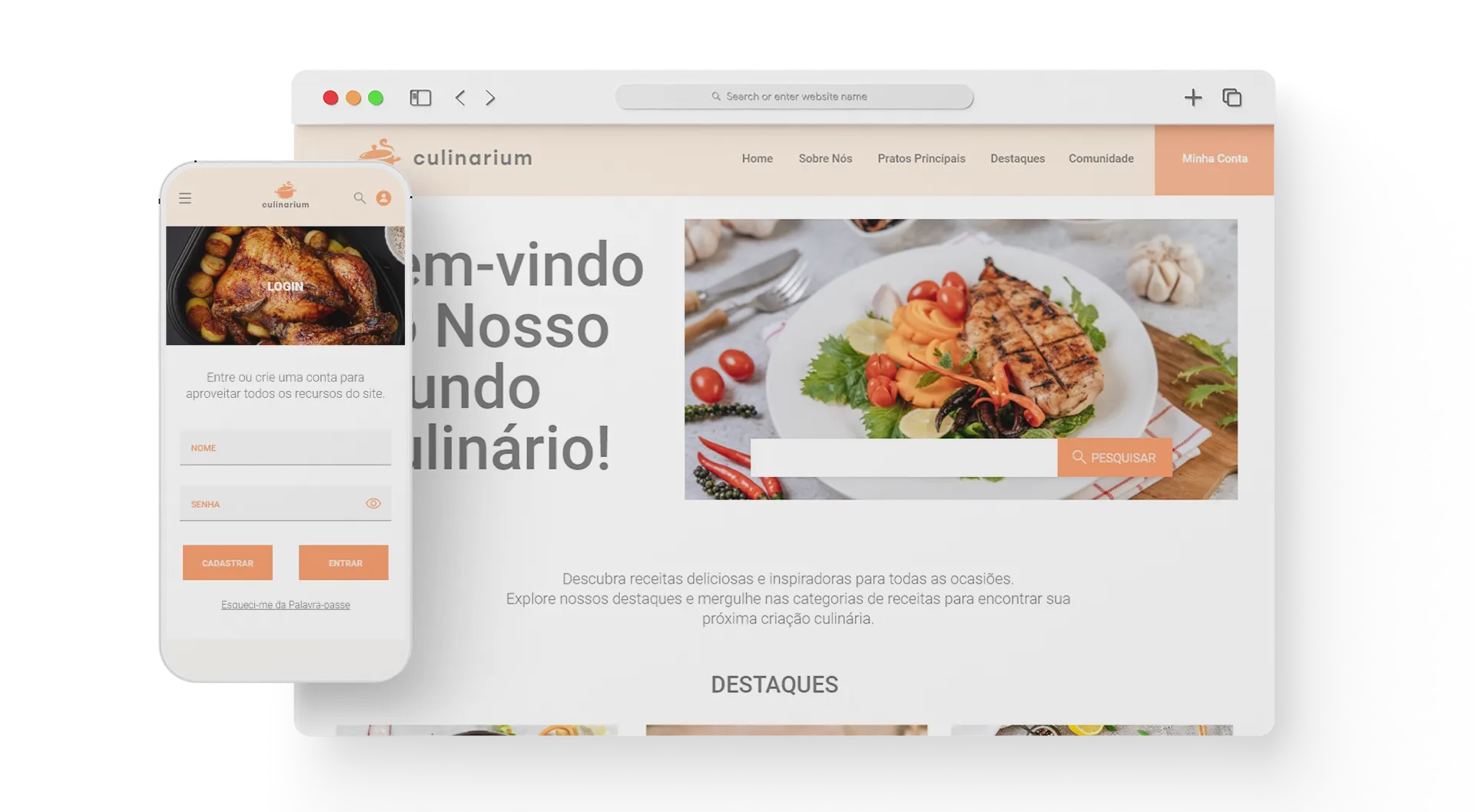
Culinarium, a cooking tutorial website and app

The internet has plenty of recipes. What it lacks is curation and an easy way to find the right one.

02

The problem

People looking for tutorials find cluttered sites, confusing interfaces, and recipes with no curation or trustworthy ratings.

Practical features are missing too: saving favorites, sharing with friends, adjusting servings. The goal was to make search and viewing simpler, and to make room for a community of people who like to cook.

  • Too much informationlots of recipes, little structure, weak filters
  • Uneven qualityuser content with no moderation or reliable ratings
  • Little personalizationno serving adjustments, favorites, or sharing
03

Research

Before designing, we ran interviews, surveys, and a competitor analysis. The top request: an easy-to-navigate platform with advanced search, where people can save and share their favorite recipes.

Culinarium screen study
04

Personas

Two personas cover the two ends of the audience. Ana is a chef with a fixed restaurant schedule and little time for new recipes. She wants detailed, interactive tutorials she can follow at her own pace, and a way to swap ideas with other chefs.

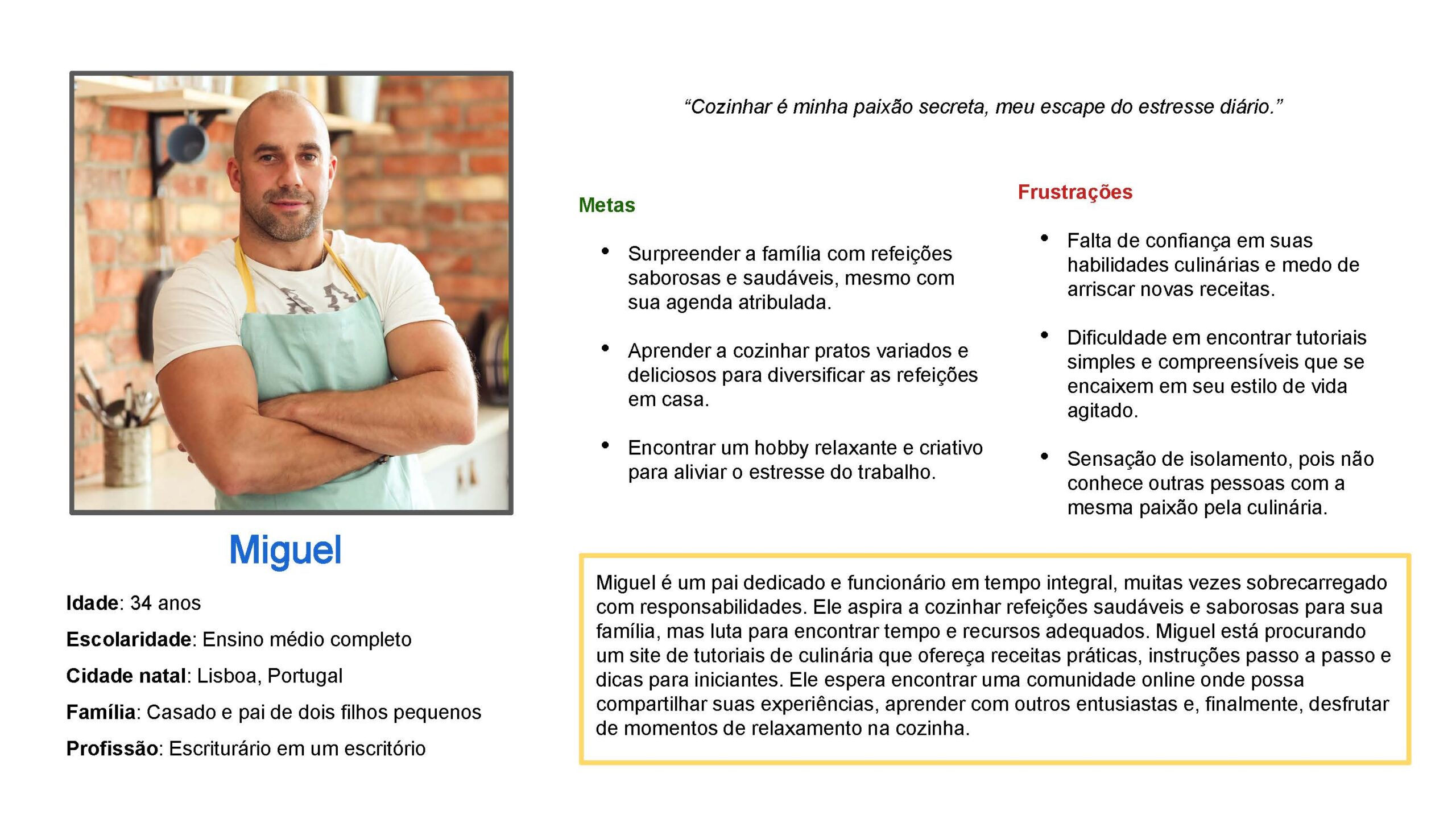
Miguel is a father with a full-time job. He wants to cook healthy meals for his family and looks for practical recipes, step-by-step guides, and tips for beginners.
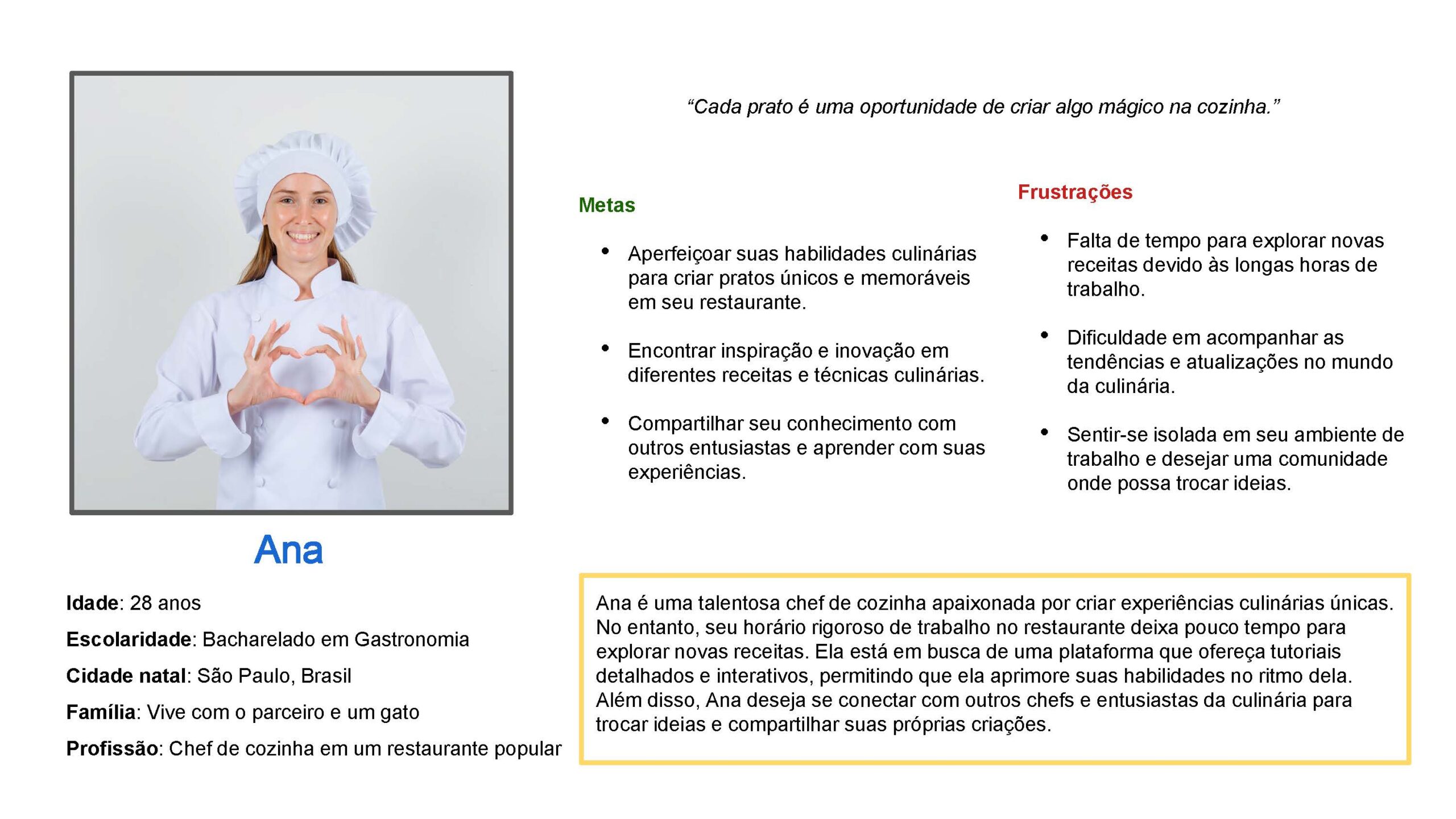
Persona Ana, chef
Persona Ana, chef
Persona Miguel, father with a full-time job
05

Structure

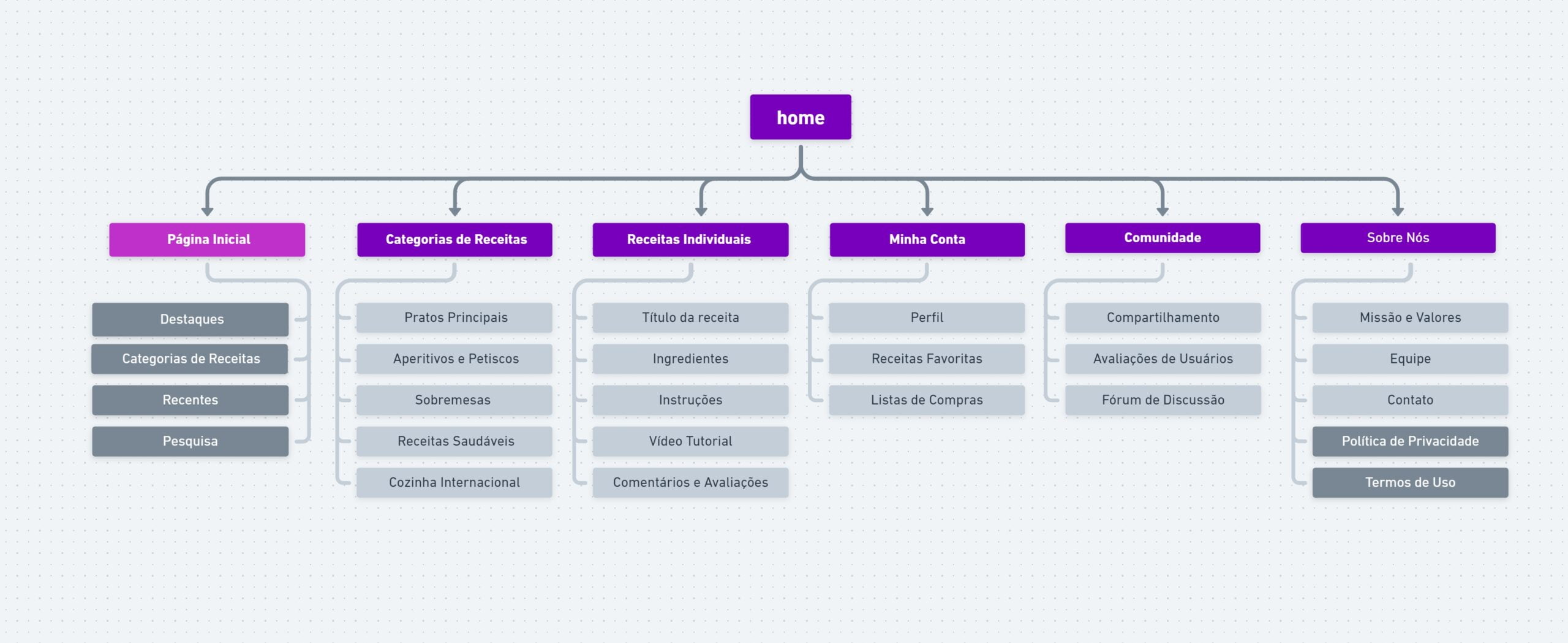
I built the sitemap to organize the sections and pages of the website and the app. It guided the layouts and the navigation.

Culinarium sitemap
Culinarium sitemap
06

Visual direction

We chose a clean design with lots of imagery and a soft color palette. Readable text and easy-to-tap buttons were there from the start.

Wireframes and mockups tested layouts and styles for the website and the app.

Website and app mockups
07

Testing

The low-fidelity prototype let us validate ideas quickly, before any development, and test with real users. The study was unmoderated and remote, in Brazil, with 10 participants and 30- to 60-minute sessions.
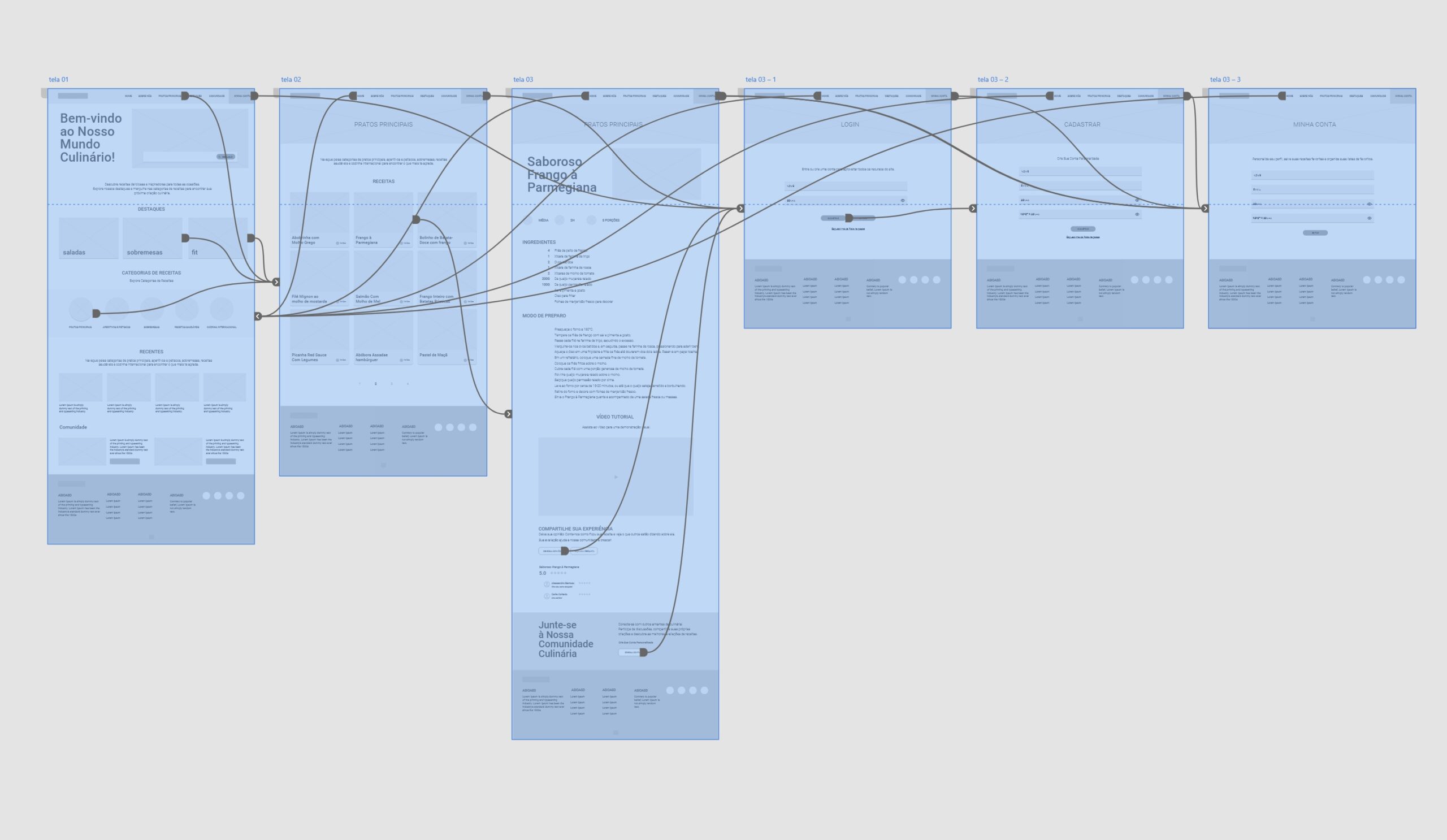
Low-fidelity prototype
08

High fidelity

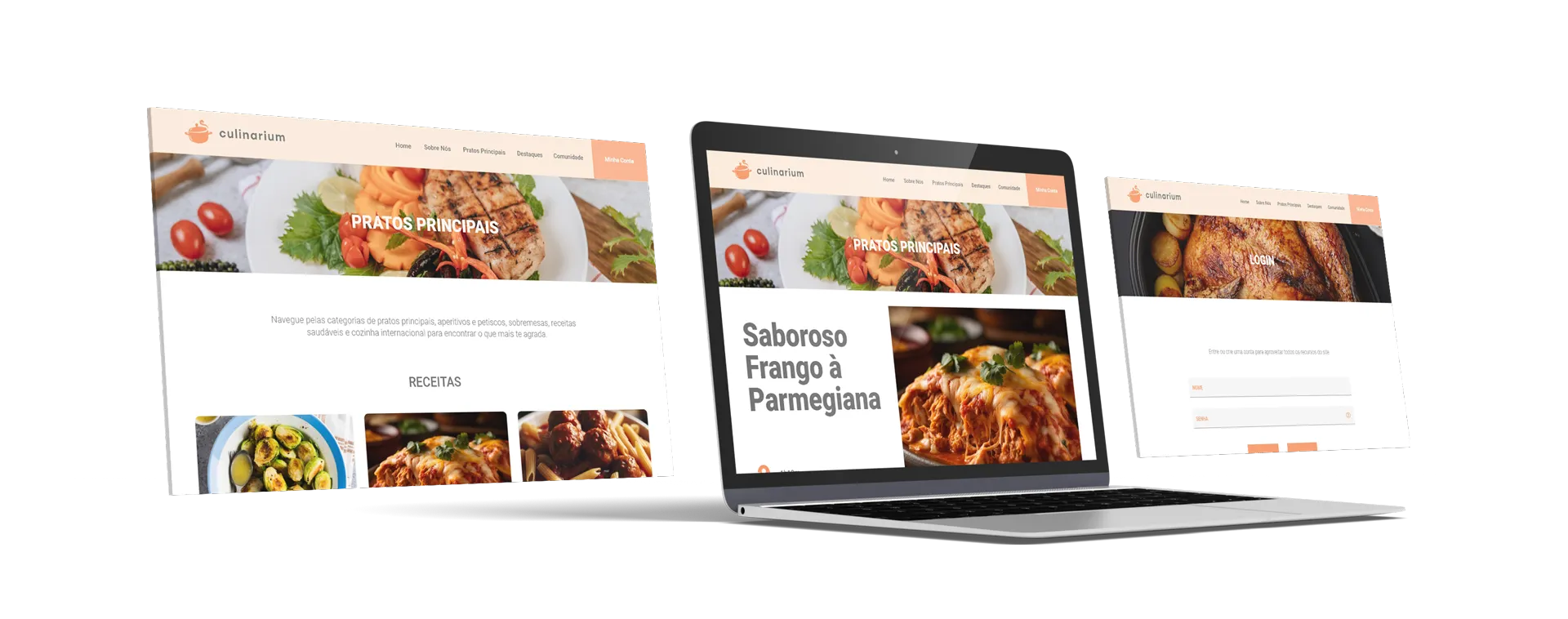
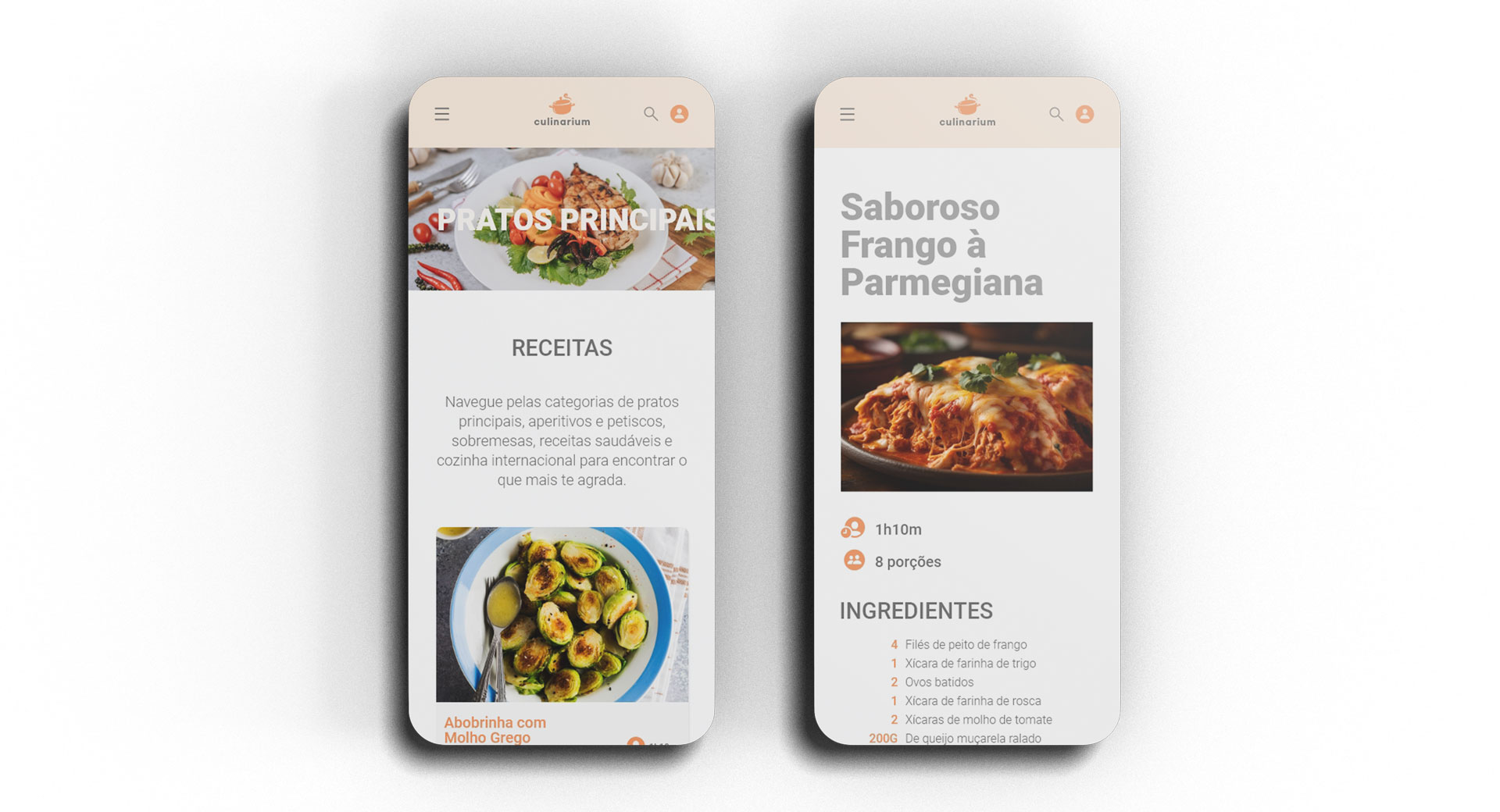
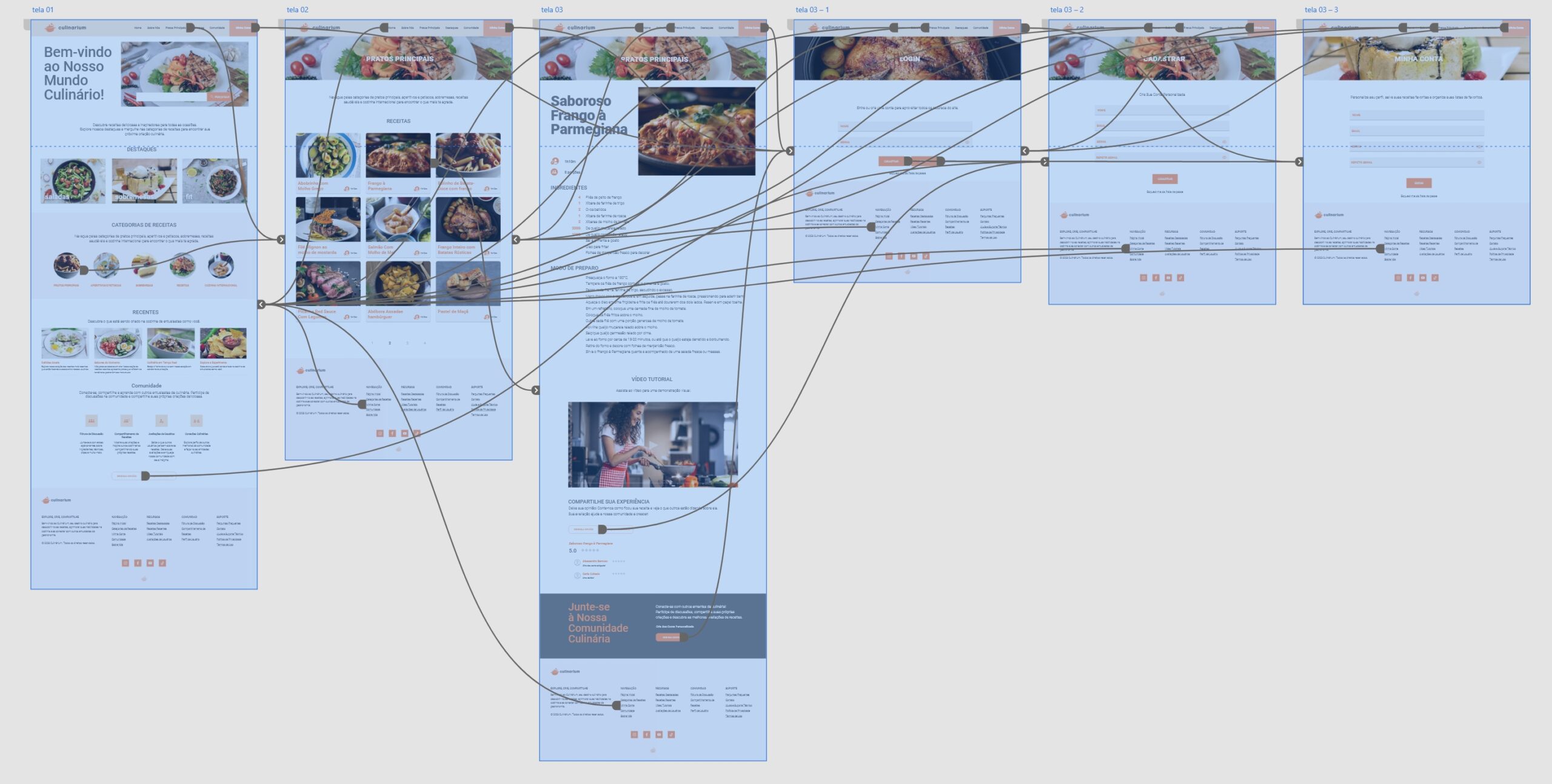
The high-fidelity desktop version details the platform’s interface. The mobile version was designed with the same goal: finding and viewing tutorials without effort.

High-fidelity prototype, desktop version
09

Accessibility

I designed the platform to work with screen readers, with simple, logical navigation for people with cognitive disabilities and support for gestures and alternative inputs for people with limited mobility.

10

Next steps

Culinarium stayed a Google UX Design Certificate project, completed at the high-fidelity prototype. The follow-up plan, which was not carried out, had five parts:

  • Usability testingwith real users, including A/B, remote, and in-person tests
  • Design adjustmentsbased on the tests: search filters, interface, and requested features
  • Mobile appdedicated wireframes and mockups, tested on different devices
  • Launchmarketing plan, social media, and partnerships with cooking influencers
  • Monitoringongoing feedback and regular updates
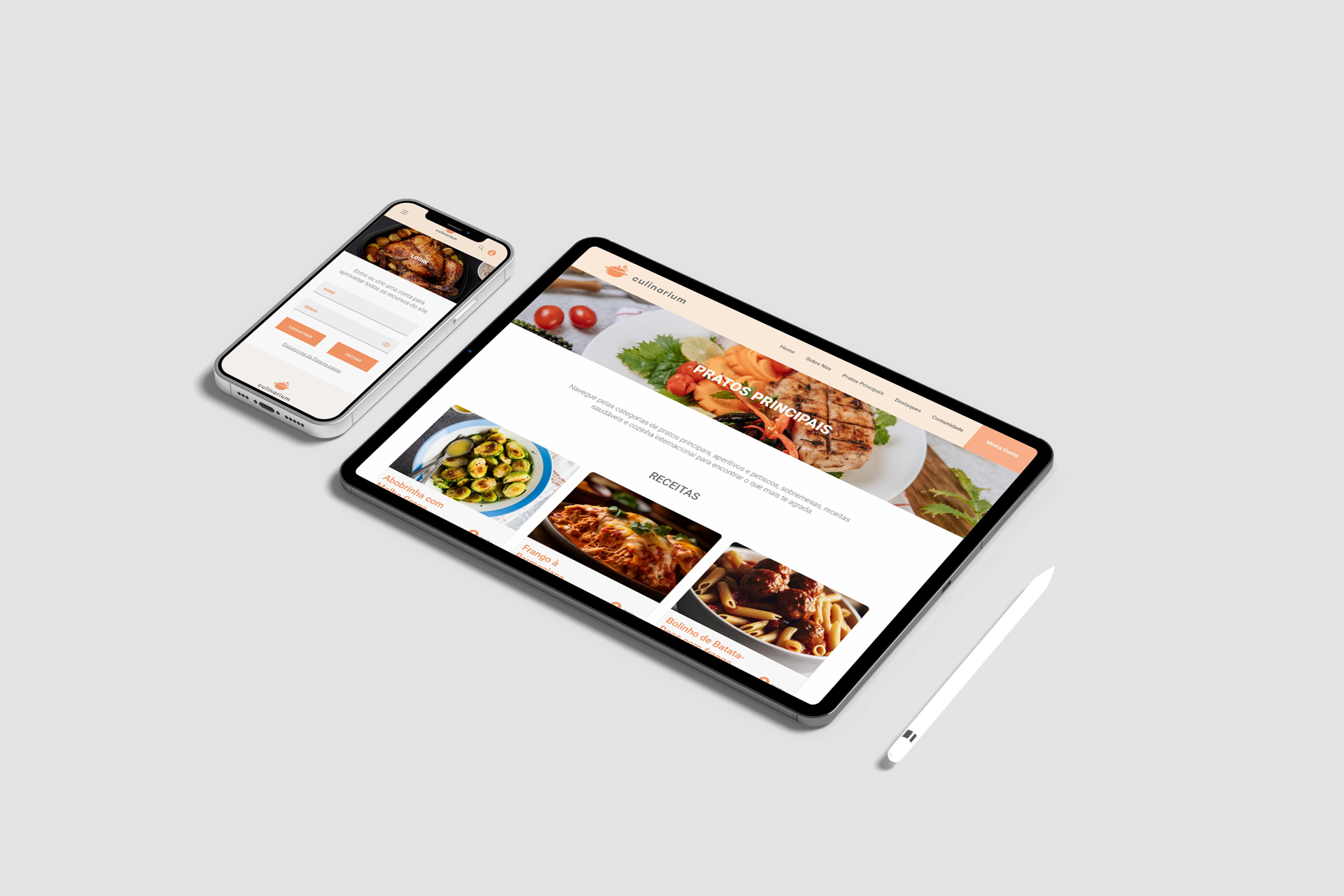
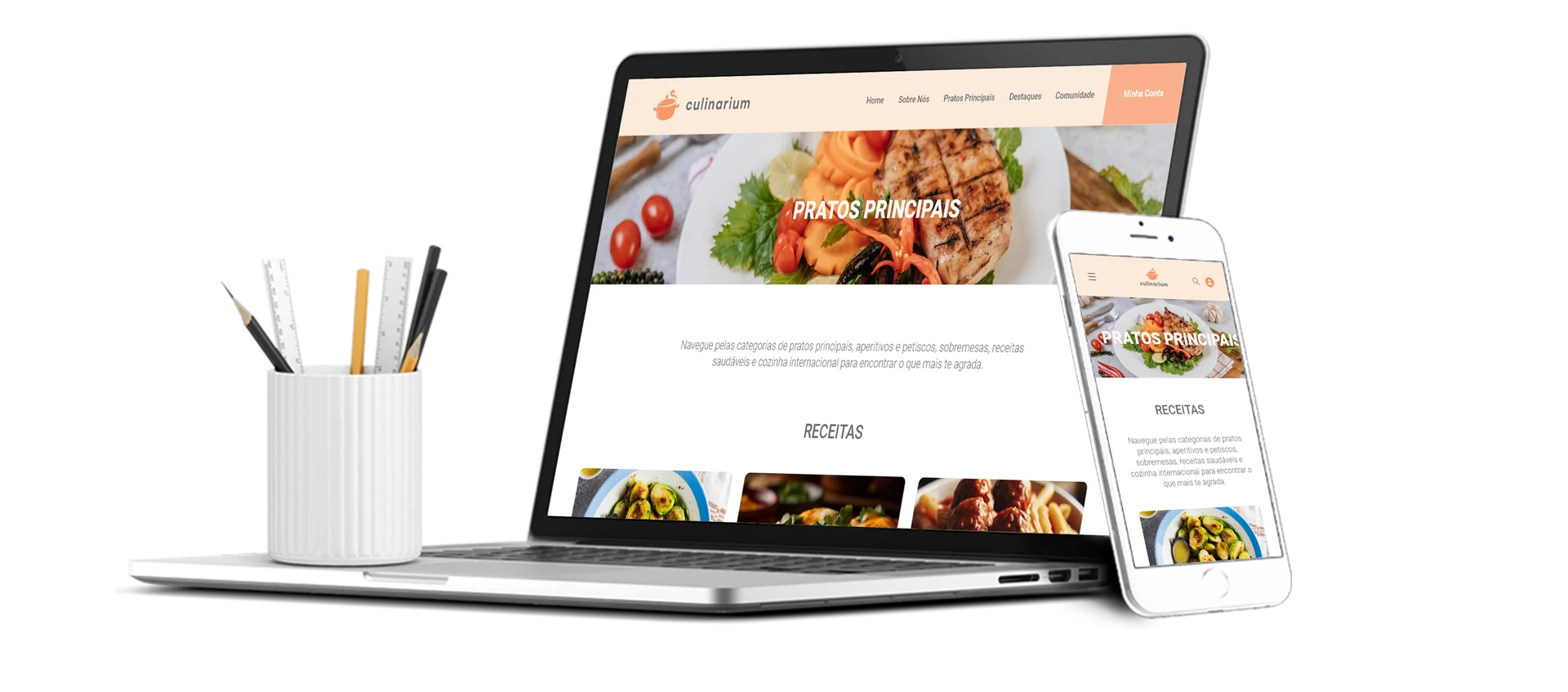
Culinarium on desktop and mobile
Culinarium screens
Culinarium screens